> For the complete documentation index, see [llms.txt](https://help.cumuluspro.net/llms.txt). Markdown versions of documentation pages are available by appending `.md` to page URLs; this page is available as [Markdown](https://help.cumuluspro.net/getting-started-with-straatos/best-practice-for-straatos-process-modelling.md).
# Best Practice for Straatos Process Modelling
This article provides process modelers some guidelines to build clear and effective models compliant with the BPMN standard.
The **Business Process Model and Notation (BPMN)** standard provides organizations with a graphical representation of their internal business processes, ensuring clear and standardized communication of procedures.
However, simply using BPMN does not guarantee effective process modeling. The **clarity and accuracy** **of a BPMN model** depends on:
* How modelers interpret business conditions.
* The way they structure workflows.
To ensure effective communication and implementation, BPMN models should be well-structured, easy to understand, and logically organized.
### **BPMN Modeling principles**
When defining process diagrams you should take into account the following basic principles:
* [Simple and Clear flow.](#simple-and-clear-flow)
* [Use BPMN standards.](#use-the-bpmn-standards)
* [Use Labeling.](#use-labeling)
* [Simplify diagrams. ](#simplify-diagrams)
***
### Simple and Clear flow
#### Start and End Events in BPMN
* In BPMN, start and end events are optional.
* However, omitting them can lead to ambiguity and misinterpretations.
* To ensure clarity, always use start and end events in every **process** and **subprocess** to explicitly define their beginning and completion.
#### Start and End Events in Straatos
* In Straatos, start and end events play a key role in process automation.
* Start events trigger actions such as:
* Importing data from emails, websites, or other sources.
* End events are used to:
* Purge documents after a defined retention period.
#### Follow a consistent direction of flow
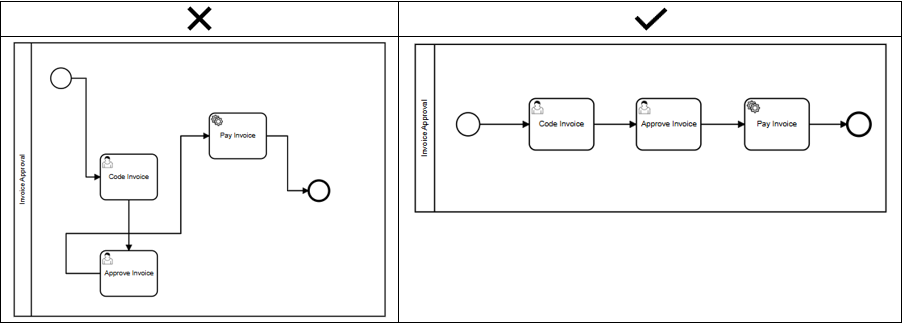
* Make the process logic visible in the diagram. Avoid crossed lines (connectors), maintain a time seuquence and keep a consistent direction of flow.
#### Keep primary scenario clear (happy path)
* The "happy path" should be easily identified when reading a diagram. A good approach is to design of the happy path first and then the alternative flows.
#### Keep alternative scenarios clear
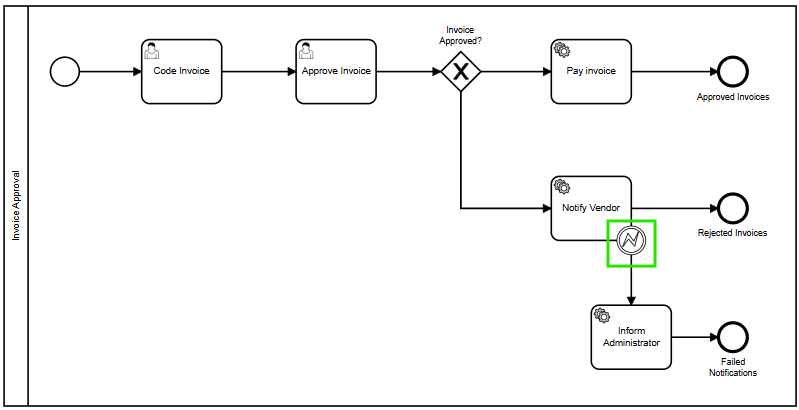
* BPMN offers the necessary tools to represent exception handling logic explicitly in the diagram. Once the primary scenario is designed, make use of the following elements to model alternative flows as required.
#### Use events attached to tasks
* If an Event is attached to the boundary of an activity, it will change the normal flow into an exception flow when something happens (error event, time limit reached, etc.)
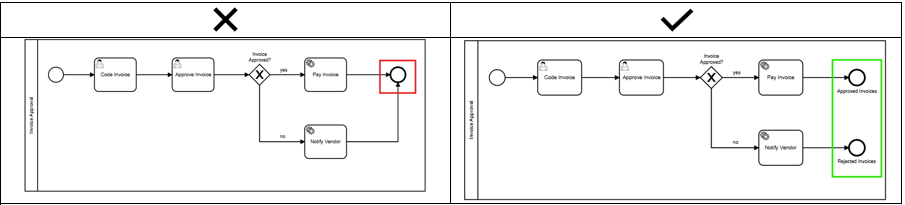
#### Distinguish success and failure end states
* Use separate end events to identify when a process has finished successfully and when it did not.
***
### **Use the BPMN standards**
* The BPMN standard provides guidelines for diagramming business processes.
* However, not all BPMN guidelines are strictly enforced in Straatos.
* Despite this, following BPMN best practices ensures that processes remain clear, readable, and well-structured.
#### Usage of Pools
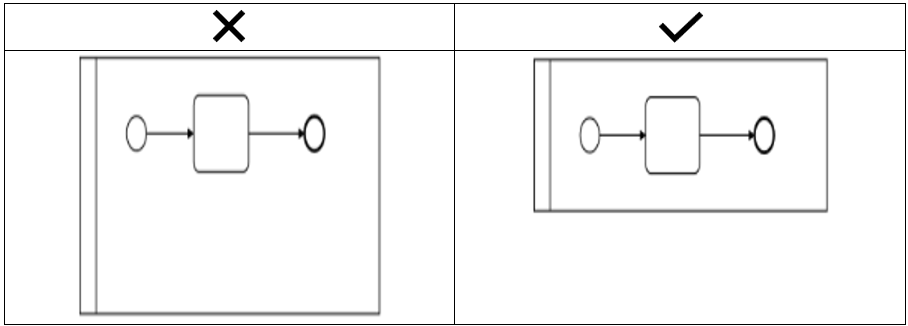
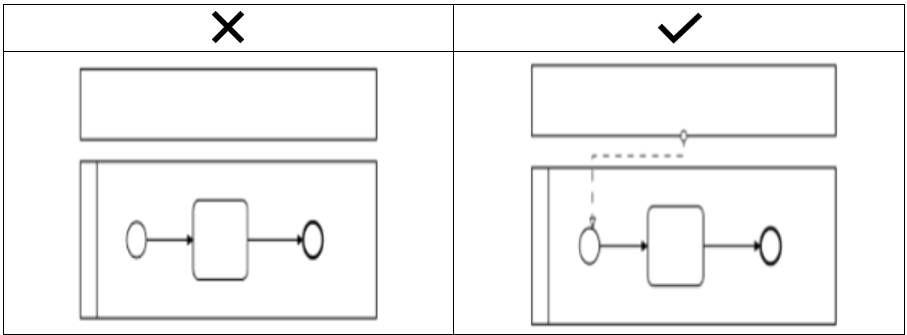
* Pools are displayed on top of each other over the entire length.
* The height of the expanded Pool depends on the height of the content.
* Collapsed Pools must have at least one outgoing message flow.
#### Usage of Lanes
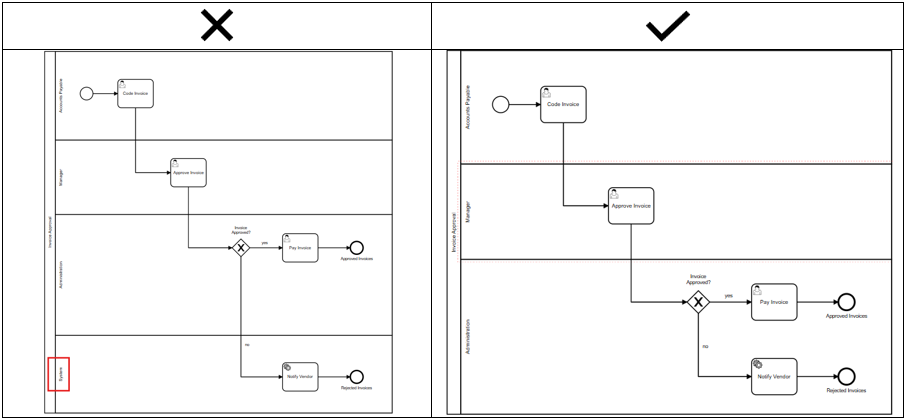
* Create a lane only if at least one task or intermediate event is performed in it.
* Do not create lanes to represent the area or entity that carries out automatic tasks or gateways.
* Do not diagram tasks, gateways or events in the middle of two lanes.
#### Usage of Activities
* Do not branch flow’s using tasks. Always use gateways to do so.
#### Usage of Gateways
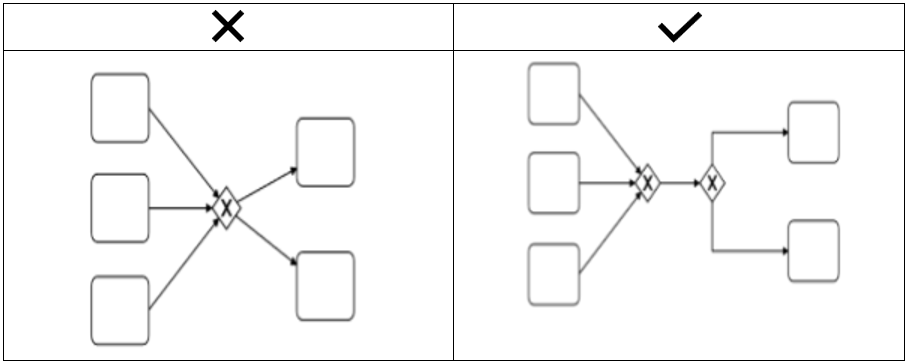
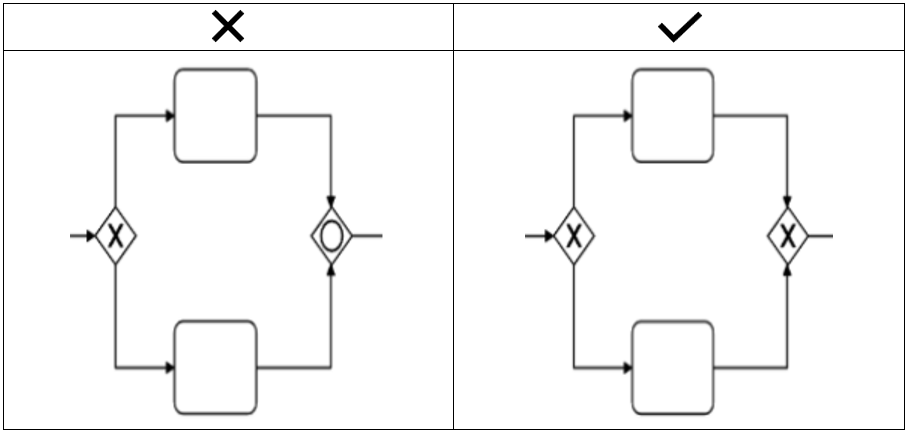
* Do not use gateways to join and split at the same time.
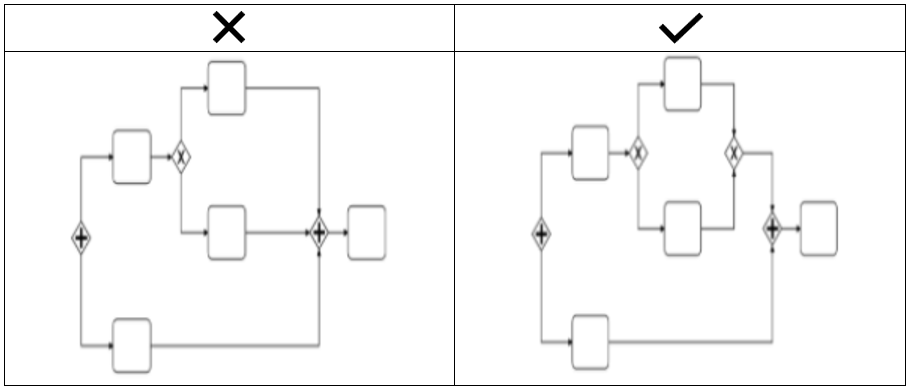
* Balance gateways:
* Splits must be joined equivalently.
* Always use the same type of Gateway used for splitting to join the flow.
#### Use of Connectors
* Use sequence flows to connect all the activities, events and gateways. Never use message flow to connect activities within the same pool or leave shapes unconnected. This is enforced in Straatos.
* Never use sequence flows to connect elements of different pools. Use message flows to represent information exchanging between processes. This is enforced in Straatos.
***
### **Use Labeling**
#### Labeling Processes
* Processes labels should clearly describe their main purpose. Ensure that you do not use short names or abbreviations.
#### Label Activities
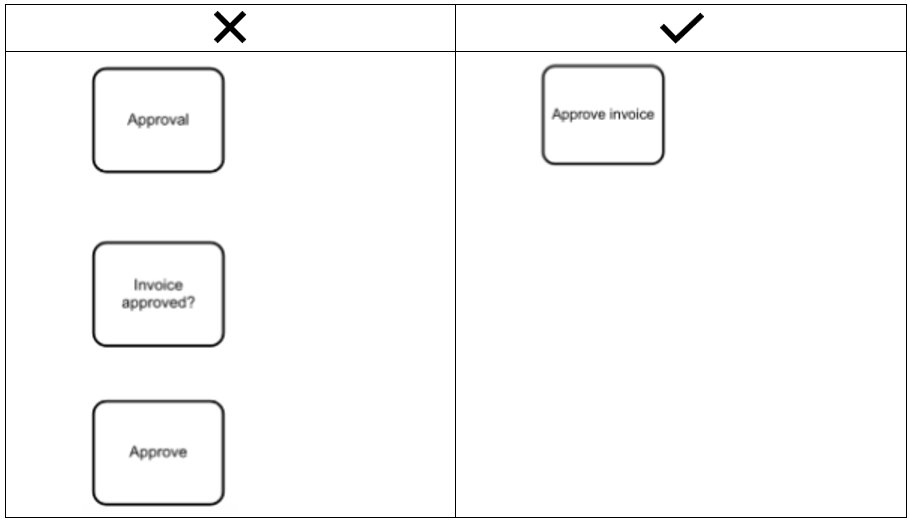
* Give activities a label composed of a one verb, and one noun. This way readers can clearly understand the objective of a task. Also, ensure that you do not use short names or abbreviations.
#### Labeling Events
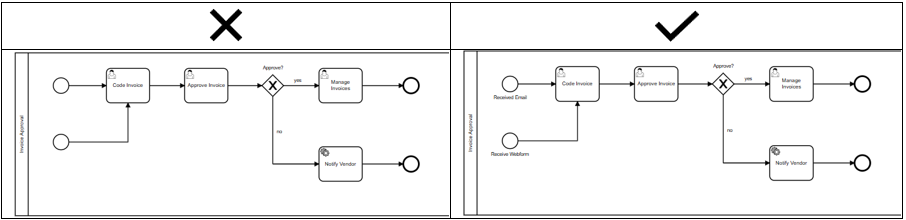
* Use labeling when multiple start and end events are used. Do not repeat names.
#### Labeling Gateways
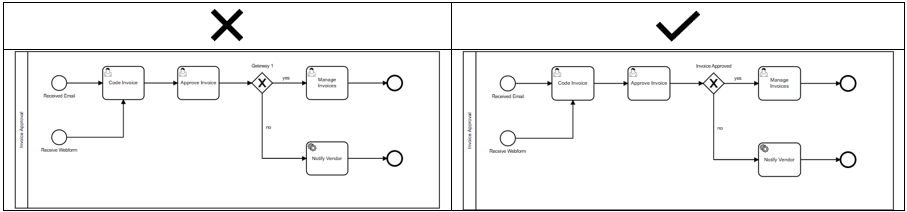
* Divergence gateways should have a clear name indicating the decision or condition evaluated when it applies. Use a name composed of one verb, one object, and a question mark to identify what is being evaluated. You can even use questions to clarify the decision involved.
* If names do not apply for any gateway use abbreviations or numbers to differentiate them.
***
### **Simplify diagrams**
* Large diagrams do not allow giving an end-to-end perspective to readers. They are difficult to read and clearly communicate the purpose of the process.
* Defining the correct scope of tasks and level of detail of processes is key to reduce the overage of information. The following tips will help:
* Reduce the number of redundant tasks:
* When diagramming it is useful to imagine that you are a final user. If a set of consecutive activities can be performed by the same person, at the same time then these activities could be integrated into a single activity.
* A set of consecutive activities in the same lane may indicate missing participant details, too much detail, or a misalignment in scope. Review these patterns to identify opportunities for activity integration.